Non-Clinical Hospital Task Management
Support emergency workers with research
Date
Client Name
Alcidion
Services
Product design
User experience
User interface
Overview
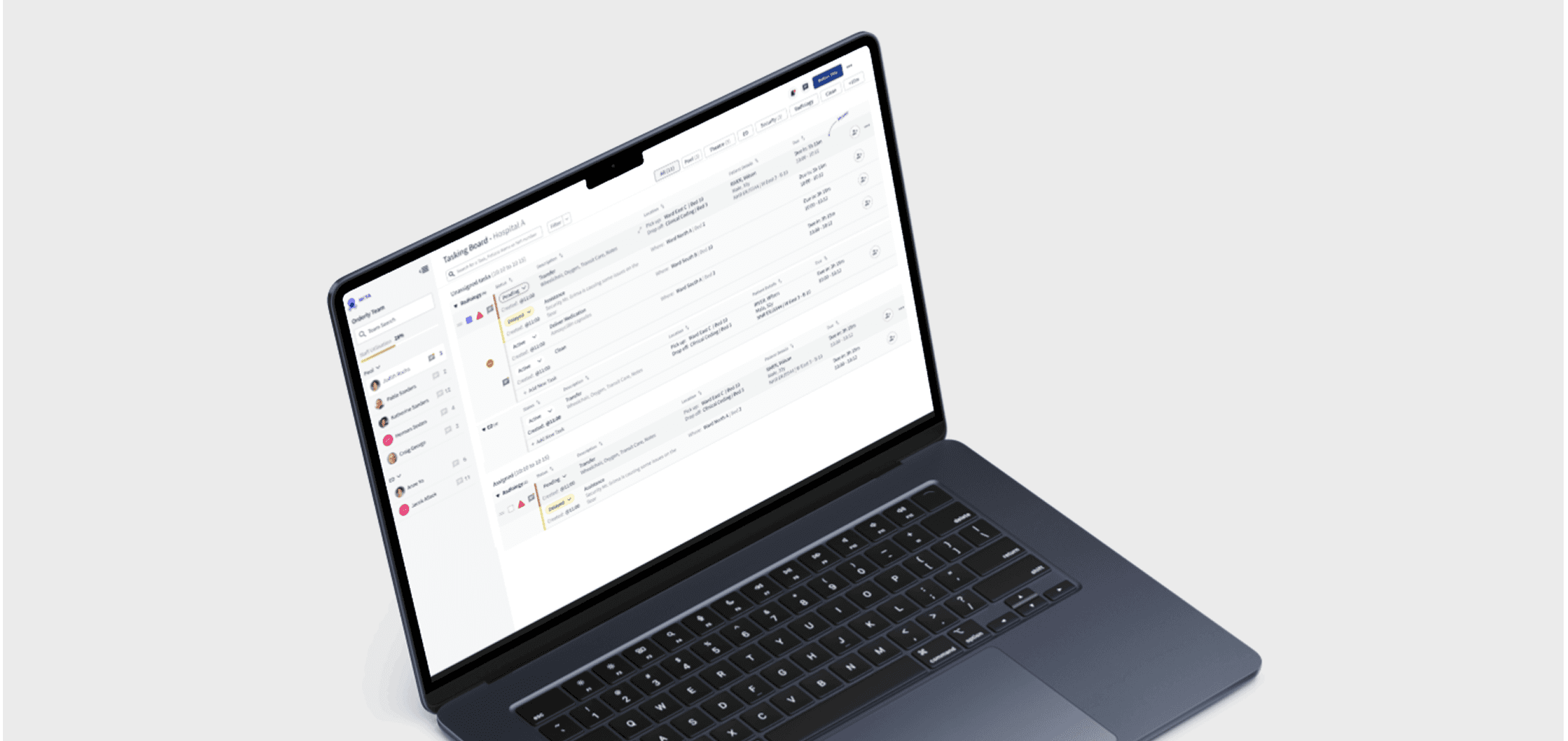
As a Senior Product designer, I worked with the team planning and executing research such as qualitative interviews, and qualitative and concept tests. I was responsible for the design uplift taking user insights and learning. Smartpage is a hospital-based web and smartphone-based communication system that replaces pagers. The key focus of this work was to optimise communication between non-clinical staff.
-
Challenge: Ward managers report that there are 5 to 7 missed urgent tasks per shift (12 hours) that are classified as urgent that could delay the care for patients in need.
-
Discovery
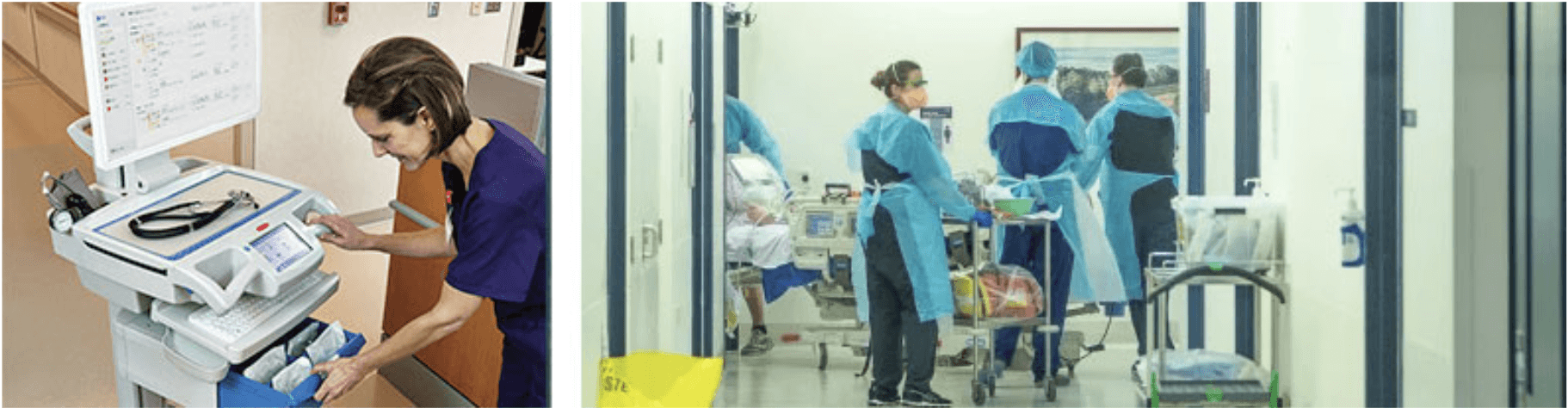
Understanding current state and what were the user pain points were essential to the success of this work
What consists of task management Assign, Reassign, Cancel and Complete Manage team breaks, staff workload, monitor external requests Define team locations and structure
What we know
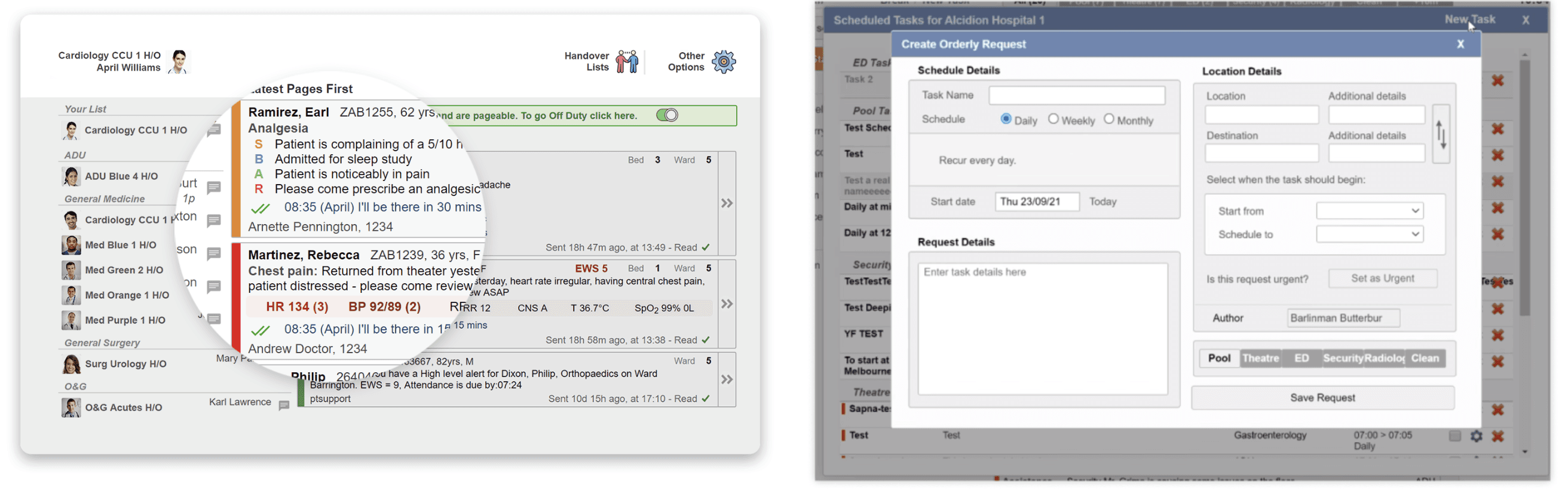
Familiar task grouping e.g. Unassigned and Assigned tasks Task content is visible at a glance Team visibility is clear Handovers are not intuitive
Task priority relies only on colours to communicate urgency. Visual hierarchy needs some love Early Warning Scores are not clear The assignment interaction is not intuitive Batch actions are not flexible
Hypothesis
Without a way to differentiate between urgent and time-sensitive tasks, the task-creating modal led to ambiguity on the floor. Staff were unable to quickly identify whether they needed to prioritize cleaning the floor or relocating a respirator to a patient in need. By introducing levels of urgency based on time and task importance, we can eliminate this ambiguity and improve task prioritisation.
The current system of indicating urgency with visual colours, such as red, is insufficient. Staff do not have access to haptic or audio signals that could reinforce the importance of a task. Therefore, incorporating additional sensory features could improve staff response time and task prioritisation.
Jobs to be done
• Create tasks
• Manage tasks - Assign, Reassign, Cancel and Complete
• Manage team breaks and staff workload
• Monitor external requests
• Define team locations and structure
Design exploration
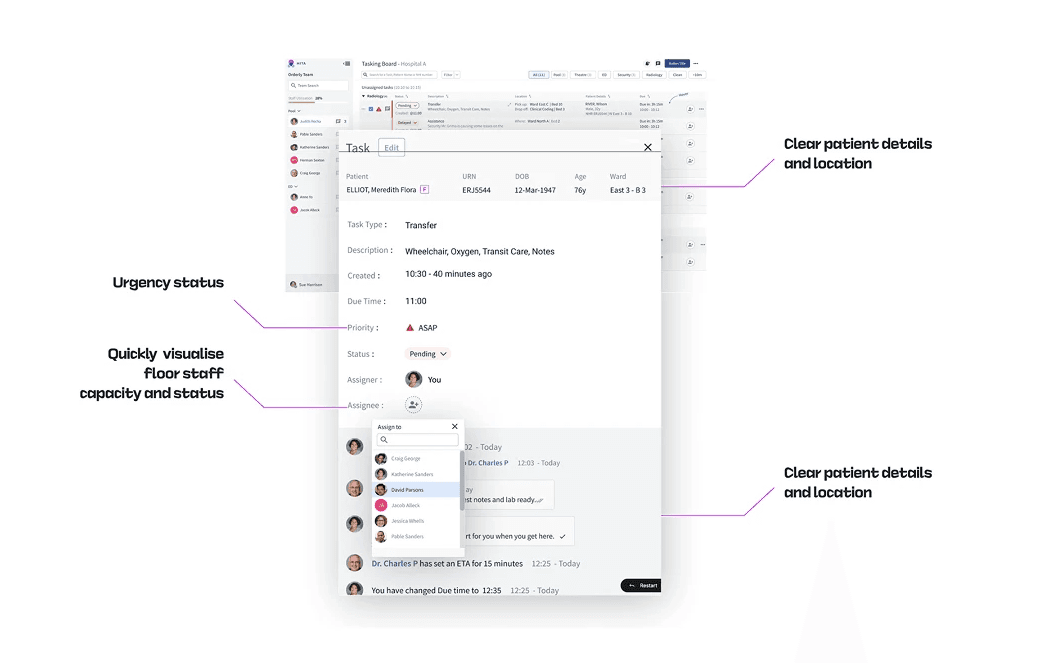
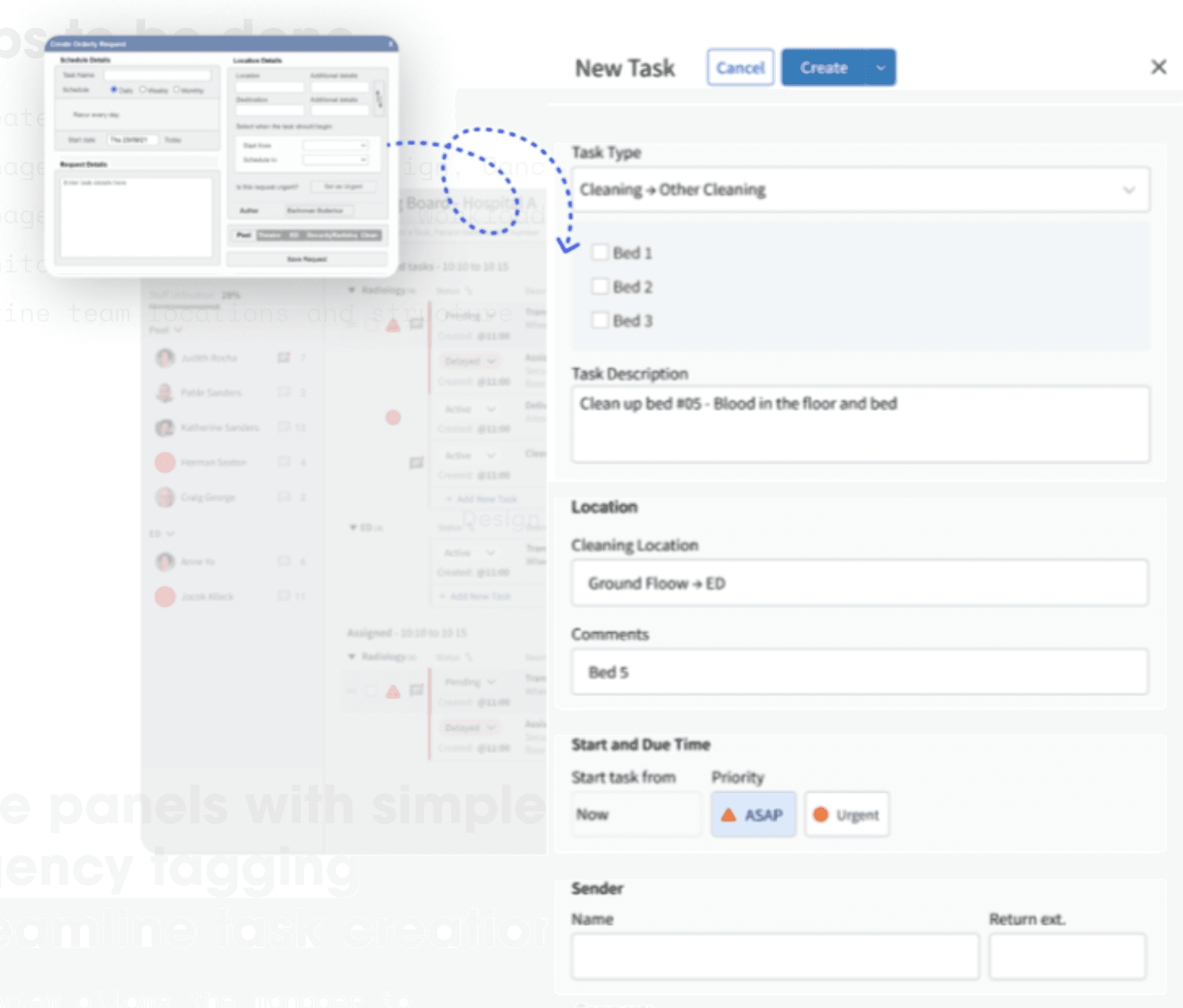
Side panels with simple urgency tagging streamline task creation
This view allows the manager to visualise the list of tasks and help them to prioritise
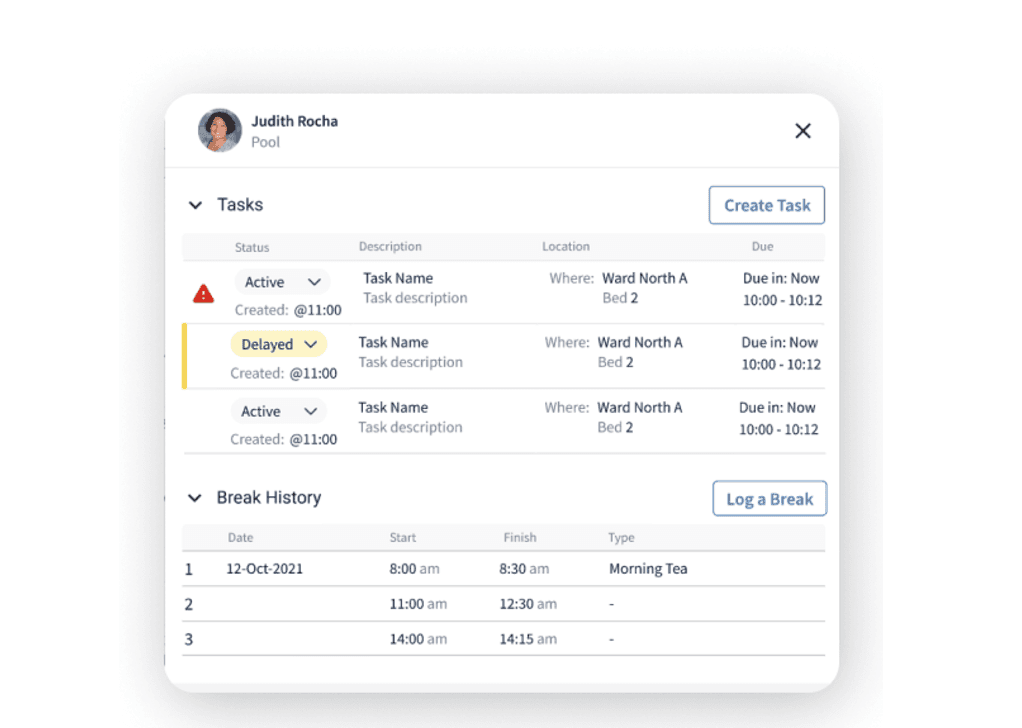
Quick task visualisation and ability to log break
Logging in break is important for team leaders due to work compliance rules. It is important that this workers take frequent break but still manage to address urgent task or reassign them to other orderlies in the floor.
🔗 Figma prototype